
Unlock Growth: Nonprofit CRM Systems for Small Organizations
nonprofit CRM systems for small organizations

Unlock Growth: Nonprofit CRM Systems for Small Organizations

Empower your small nonprofit with the right CRM to streamline operations, deepen donor relationships, and amplify your mission's impact.

Find Your Perfect CRM

Key Takeaways

  • ✓ Small nonprofits often struggle with manual data management, leading to inefficiencies and missed opportunities.
  • ✓ A dedicated nonprofit CRM can consolidate donor data, volunteer information, and fundraising activities.
  • ✓ Affordable and scalable CRM solutions exist specifically designed for the unique needs and budgets of small organizations.
  • ✓ Implementing the right CRM can significantly improve donor retention, communication effectiveness, and overall operational efficiency.

How It Works

1
Assess Your Needs

Identify your organization's specific challenges and goals related to donor management, fundraising, and communication. Prioritize features that will have the most significant impact on your daily operations.

2
Research & Compare Solutions

Explore various nonprofit CRM systems, focusing on those tailored for small organizations. Compare features, pricing models, ease of use, and customer support offerings.

3
Pilot & Implement

Choose a system, begin with a trial or pilot program to ensure it meets your needs, then systematically migrate your data. Provide adequate training for your team to ensure smooth adoption.

4
Optimize & Grow

Regularly review your CRM's performance and utilize its full capabilities to refine your strategies. Leverage insights to enhance donor engagement, optimize fundraising campaigns, and achieve your mission.

Understanding the Core Needs of Small Nonprofits

Group of diverse volunteers smiling while sorting clothes at a charity donation center. Photo: Julia M Cameron / Pexels
For small organizations, every dollar, every minute, and every donor relationship is critically important. Unlike large corporations with dedicated IT departments and substantial budgets, small nonprofits often operate with lean teams, limited resources, and a fierce dedication to their mission. This unique operational context profoundly shapes their technology requirements, particularly when it comes to managing constituents and fundraising efforts. Manual systems, spreadsheets, and disparate databases, while seemingly cost-effective initially, quickly become bottlenecks. They lead to duplicate data entries, missed communication opportunities, and a fragmented view of vital donor relationships. Imagine trying to track a donor's giving history, volunteer hours, and event attendance across three different spreadsheets and a separate email system – the inefficiencies are staggering. This is where the power of specialized nonprofit CRM systems for small organizations truly shines. These systems are not just about storing names and addresses; they are about building and nurturing relationships. They consolidate all interactions with donors, volunteers, grantors, and beneficiaries into a single, accessible platform. This holistic view allows small teams to personalize communications, segment their audience effectively, and understand the true impact of their engagement strategies. Furthermore, many small nonprofits rely heavily on grant funding and individual donations, making robust tracking and reporting capabilities absolutely essential. A CRM designed for nonprofits can simplify grant application processes by keeping track of deadlines, requirements, and previous submissions. It also empowers organizations to generate insightful reports on fundraising performance, donor retention rates, and campaign effectiveness, which are crucial for demonstrating accountability to boards and funders. Without a centralized system, extracting this data becomes a time-consuming, error-prone task that diverts precious resources from mission-critical activities. The right CRM can be the backbone of efficient operations, freeing up staff to focus on what matters most: serving their community and achieving their mission. It transforms data from a burden into a powerful asset, enabling informed decision-making and sustainable growth. For more insights on general nonprofit operations, explore our guide on effective nonprofit management strategies.

Key Features to Prioritize in Nonprofit CRM Systems

Sleek laptop showcasing data analytics and graphs on the screen in a bright room. Photo: Lukas Blazek / Pexels
When evaluating nonprofit CRM systems for small organizations, the sheer volume of features available can be overwhelming. However, by focusing on core functionalities that directly address common challenges, small nonprofits can make an informed decision. The first and most critical feature is comprehensive donor management. This includes the ability to track donor contact information, giving history (one-time, recurring, in-kind), pledges, and interactions. A robust system will also allow for donor segmentation, enabling targeted appeals based on giving levels, interests, or engagement history. Imagine sending a personalized thank-you note that references a donor's specific past contribution – this level of detail is invaluable for cultivating long-term relationships. Secondly, efficient fundraising management is paramount. Look for features that support various fundraising activities, such as online donation forms, peer-to-peer fundraising capabilities, event management, and grant tracking. The CRM should integrate seamlessly with your website for online giving and provide tools to manage attendee registrations, ticket sales, and sponsorships for events. Grant tracking features, including deadline reminders, document storage, and reporting on grant outcomes, can significantly streamline the often-complex grant application process. Beyond these, communication tools are vital. A good nonprofit CRM will offer email marketing integration, allowing you to send newsletters, campaign updates, and personalized appeals directly from the system. It should also track communication history, ensuring that your team has a complete record of every interaction with a constituent. This prevents redundant outreach and ensures a consistent message. Finally, reporting and analytics are non-negotiable. Small nonprofits need clear, actionable insights into their fundraising performance, donor retention rates, and campaign effectiveness. The CRM should provide customizable dashboards and easy-to-generate reports that can be shared with boards, funders, and staff. Data security and compliance with relevant regulations (like GDPR or CCPA) are also crucial, especially when handling sensitive donor information. While advanced features like marketing automation or complex volunteer management might be appealing, small organizations should prioritize the fundamental features that will provide the most immediate and tangible benefits, ensuring they don't overspend on functionalities they won't fully utilize in the short term. Scalability is also important, as your organization grows, your CRM should be able to grow with you.

Top Contenders: Popular Nonprofit CRM Systems for Small Organizations
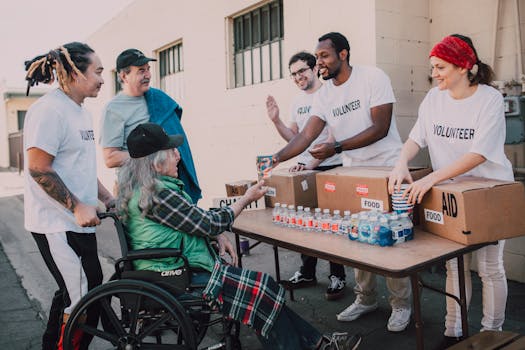
Volunteers distribute bottled water and supplies to diverse individuals in an outdoor setting, showcasing community support. Photo: RDNE Stock project / Pexels
The market for nonprofit CRM systems for small organizations has expanded significantly, offering a range of options tailored to various budgets and technical proficiencies. Among the most popular choices, several stand out for their features, ease of use, and affordability. Salesforce for Nonprofits, while often perceived as a solution for larger organizations, offers a robust platform with a generous Power of Us program that provides ten free user licenses to eligible nonprofits. Its extensive customization capabilities mean it can be adapted to virtually any need, though its complexity can present a learning curve for smaller teams without dedicated technical support. However, its vast ecosystem of apps and integrations makes it a powerful long-term solution. Many small nonprofits find success by starting with a simplified implementation and gradually expanding their use. Another strong contender is Bloomerang, which is highly praised for its user-friendly interface and focus on donor retention. Bloomerang emphasizes cultivating donor relationships through features like wealth screening, engagement meters, and personalized communication tools. Its intuitive design makes it an excellent choice for organizations that want to get up and running quickly without extensive training. Kindful, now part of EveryAction, offers a comprehensive suite of tools for donor management, online fundraising, and reporting. It's known for its clean interface and strong integrations with popular platforms like QuickBooks and Mailchimp, making it a good fit for organizations looking to connect their CRM with other essential tools. Its emphasis on automated donor communication and fundraising pages can significantly reduce administrative burden. NeonOne (which includes NeonCRM) provides an all-in-one solution that covers not only donor management but also membership, events, and volunteer management. This can be particularly attractive to small nonprofits that need to manage multiple types of constituents and activities from a single platform. Its robust reporting features and customizable dashboards are also highly valued. Lastly, Little Green Light often appeals to very small organizations due to its affordability and straightforward approach. It offers essential donor management, fundraising, and communication tools without the bells and whistles, making it an excellent entry-level option for those with limited budgets and simpler needs. When making a choice, consider not just the initial cost but also the long-term value, including customer support, training resources, and the potential for future growth and integration. For further reading on related technologies, check out our piece on innovative tech for nonprofit growth.

Implementation Mistakes to Avoid and Best Practices for Success

A diverse group of professionals engaged in a collaborative office meeting with laptops and a whiteboard. Photo: Yan Krukau / Pexels
Implementing a new nonprofit CRM system, even for a small organization, is a significant undertaking that requires careful planning and execution. Avoiding common pitfalls can save considerable time, money, and frustration. One of the biggest mistakes is failing to define clear goals and requirements before selecting a system. Without a thorough understanding of what you need the CRM to achieve, you risk choosing a system that doesn't fit your organization's specific workflow or, conversely, one that's overly complex and expensive. Engage key stakeholders from different departments (fundraising, communications, programs) in the needs assessment process. Another frequent error is neglecting data cleanup. Migrating dirty, duplicate, or outdated data into a new CRM will only perpetuate existing problems and undermine the system's effectiveness. Before migration, invest time in auditing your existing data, removing duplicates, correcting errors, and standardizing formats. This foundational step is crucial for accurate reporting and effective donor communication. Furthermore, insufficient staff training is a guaranteed way to derail adoption. Even the most intuitive CRM will require some learning. Provide comprehensive training sessions, create user guides, and offer ongoing support to ensure your team feels confident and proficient in using the new system. Without proper training, staff will revert to old habits, and the CRM will become an underutilized expense. Best practices for success include: * **Start Small and Scale Up:** Don't try to implement every feature on day one. Begin with core functionalities, get your team comfortable, and then gradually introduce more advanced features as your needs evolve. * **Designate a CRM Champion:** Appoint one person to be the internal expert and advocate for the CRM. This individual can provide first-line support, gather feedback, and ensure consistent usage. * **Regularly Review and Optimize:** Your CRM isn't a 'set it and forget it' tool. Periodically review your usage, identify areas for improvement, and leverage new features or integrations to maximize its value. * **Integrate with Other Tools:** Where possible, integrate your CRM with other essential tools like accounting software, email marketing platforms, and website donation forms to create a seamless operational ecosystem. * **Prioritize Data Security:** Ensure your team understands best practices for data entry and security, safeguarding sensitive donor information. By following these guidelines, small nonprofits can ensure a smoother implementation and unlock the full potential of their CRM system.

Comparison

FeatureBloomerangSalesforce NPSPLittle Green Light
Donor ManagementExcellent (Retention Focus)Highly CustomizableGood (Essential)
Online FundraisingIntegrated Forms, Peer-to-PeerVia AppExchange/IntegrationsIntegrated Forms
Ease of UseHighModerate (Steep Learning Curve)High
Pricing for Small OrgsTiered, Scalable10 Free Licenses, then TieredAffordable Tiered
Reporting & AnalyticsStrong, Donor-CentricPowerful, CustomizableSolid Basic Reports
IntegrationsGood (QuickBooks, Mailchimp)Vast Ecosystem (AppExchange)Good (Mailchimp, QuickBooks)
Volunteer ManagementAdd-on/LimitedVia AppExchange/CustomBasic Tracking
Event ManagementBasic/Add-onVia AppExchange/CustomBasic

What Readers Say

"As a small arts nonprofit, we needed a system that wouldn't break the bank but could handle our growing donor base. Bloomerang has been incredible for tracking interactions and understanding donor engagement. Our donor retention has improved noticeably."

Sarah J. · Austin, TX

"Salesforce NPSP, with its free licenses, was a game-changer for our environmental advocacy group. It took some learning, but the customization options mean it truly fits our unique needs for tracking volunteers and grant applications."

David M. · Portland, OR

"Little Green Light simplified our fundraising immensely. We used to manage everything in spreadsheets, and now we have all donor data, campaign results, and communication history in one place. It's saved us dozens of hours a month."

Maria L. · Miami, FL

"NeonCRM has been a solid choice for our community center. It handles both our membership and donor management well. While the initial setup was a bit involved, their customer support was very helpful in getting us started."

Tom K. · Denver, CO

"Our small animal rescue relies on Kindful. Its integration with our online donation forms and email marketing makes our fundraising campaigns so much more efficient. We've seen a definite uptick in recurring donations since implementing it."

Jessica R. · Chicago, IL

Frequently Asked Questions

What is the most important feature for nonprofit CRM systems for small organizations?

The most important feature for small nonprofits is comprehensive donor management. This includes the ability to track donor contact information, giving history, communication preferences, and all interactions in one centralized location. This foundational capability ensures you can effectively build and nurture relationships, which is critical for sustainable fundraising.

Are nonprofit CRM systems too expensive for small organizations?

Not necessarily. While some enterprise-level CRMs can be costly, many solutions are specifically designed for small organizations with limited budgets. Many offer free tiers (like Salesforce's Power of Us program), discounted rates for nonprofits, or affordable tiered pricing based on the number of contacts or users. It's an investment that typically pays for itself through increased efficiency and fundraising success.

How do I choose the right nonprofit CRM system for my small organization?

Start by defining your organization's specific needs and pain points. Prioritize essential features like donor management, online fundraising, and reporting. Then, research systems known for supporting small nonprofits, read reviews, and take advantage of free trials or demos. Consider ease of use, customer support, and the potential for scalability as your organization grows.

Can a CRM help with grant management for small nonprofits?

Yes, many nonprofit CRM systems include or can be customized to support grant management. They can help track grant deadlines, application requirements, submission history, and reporting obligations. This centralization reduces the risk of missed opportunities and streamlines the often complex process of securing grant funding, providing a clear overview of your grant pipeline.

How do nonprofit CRM systems compare to general-purpose CRMs like HubSpot or Zoho for small organizations?

Nonprofit CRM systems are specifically designed with the unique needs of nonprofits in mind, such as donor management, fundraising campaigns, grant tracking, and volunteer management. While general-purpose CRMs like HubSpot or Zoho can be adapted, they often require significant customization and may lack built-in features crucial for nonprofit operations, making the nonprofit-specific options generally more efficient and cost-effective in the long run.

Who should be involved in selecting a CRM for a small nonprofit?

Ideally, representatives from all key areas that will use the CRM should be involved. This includes fundraising staff, communications/marketing team members, program managers (if tracking beneficiaries), and executive leadership. Their collective input ensures the chosen system meets diverse needs and promotes broader adoption across the organization.

What are the security risks associated with nonprofit CRM systems?

The main security risks involve data breaches, unauthorized access to sensitive donor information, and non-compliance with data privacy regulations. To mitigate these, ensure the chosen CRM vendor has robust security protocols, data encryption, regular backups, and compliance certifications. Additionally, implement strong internal policies for user access, password management, and data handling within your organization.

What future trends should small nonprofits consider when choosing a CRM?

Look for CRMs that embrace AI and automation for personalized donor engagement, offer strong mobile accessibility for on-the-go management, and provide robust integration capabilities with emerging communication channels. Cloud-based solutions with strong API access for future-proofing are also becoming increasingly important, allowing for greater flexibility and adaptability as technology evolves.

Choosing the right nonprofit CRM systems for small organizations can be a pivotal moment for your mission. By streamlining operations, enhancing donor relationships, and providing actionable insights, these tools empower you to achieve greater impact. Invest in a system that grows with you and amplifies your ability to make a difference.

Topics: nonprofit CRM systems for small organizationsdonor management softwarenonprofit fundraising toolsCRM for nonprofitssmall nonprofit technology
Leo List
Brampton weed
Adultwork