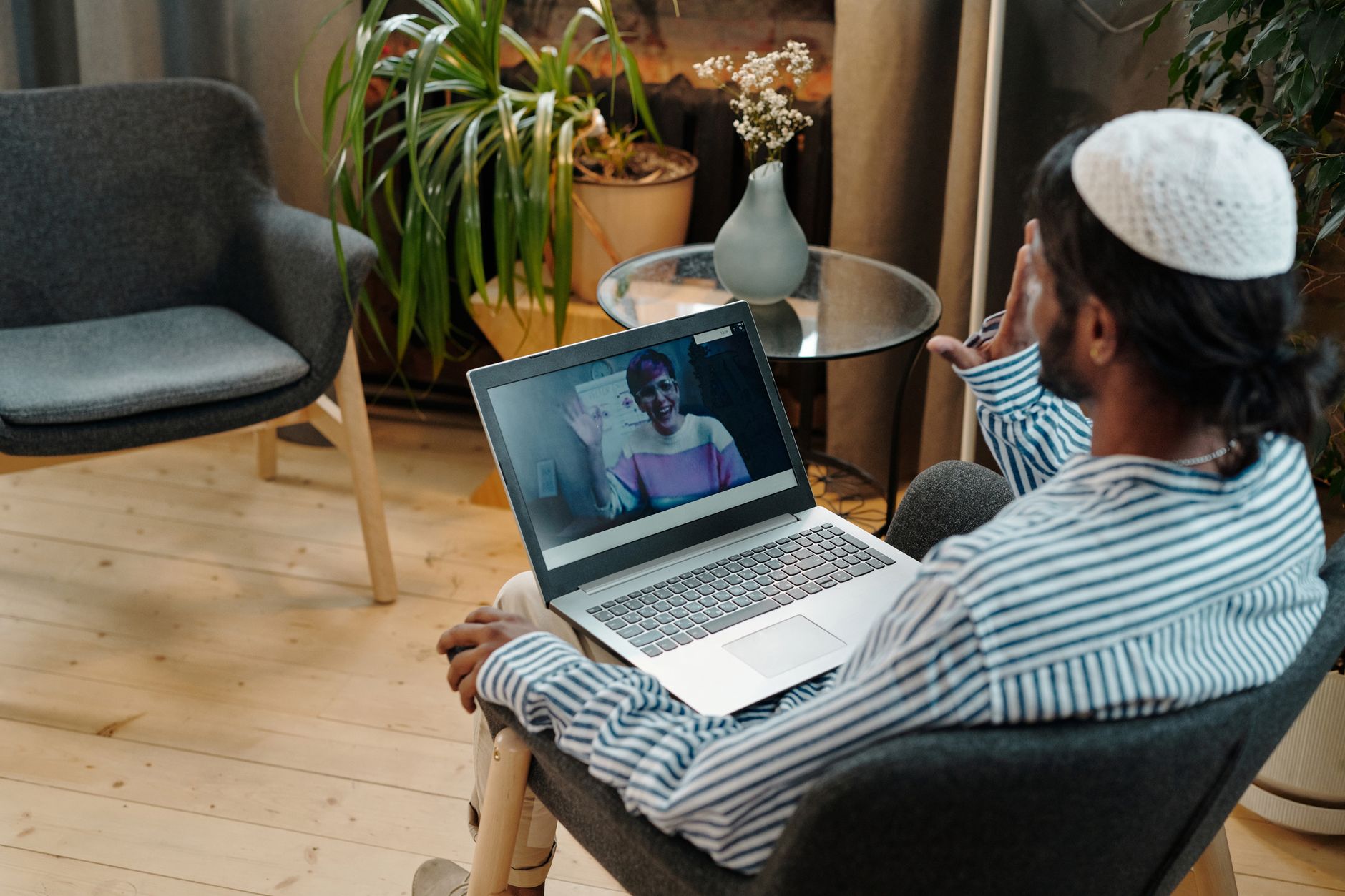
Best 1v1 Video Call Platforms Compared for Nonprofits
1v1 video call platforms

Best 1v1 Video Call Platforms Compared for Nonprofits

Navigate the top options for secure, effective, and budget-friendly one-on-one video communication crucial for your mission.

Find Your Perfect Platform

Key Takeaways

  • ✓ Over 70% of nonprofits report increased reliance on virtual tools since 2020.
  • ✓ Data security and privacy are paramount for sensitive donor and beneficiary interactions.
  • ✓ Many platforms offer discounted or free tiers specifically for registered nonprofits.
  • ✓ Accessibility features are crucial for reaching diverse audiences and beneficiaries.
  • ✓ Choosing the right platform can significantly impact donor engagement and operational efficiency.

How It Works

1
Assess Your Nonprofit's Needs

Identify key requirements like budget, security levels, integration needs, and specific use cases (e.g., counseling, donor outreach, volunteer interviews). This initial assessment forms the foundation for your platform selection process.

2
Research Top Contenders

Explore platforms known for reliability, security, and nonprofit-friendly features. Pay attention to user reviews, specific nonprofit programs, and technical specifications to narrow down your choices effectively.

3
Test Drive and Evaluate

Utilize free trials or basic versions to test potential platforms with your team. Evaluate ease of use, call quality, feature set, and compatibility with your existing systems before committing to a paid plan.

4
Implement and Optimize

Once a platform is chosen, integrate it into your workflows and provide training for your staff and volunteers. Continuously gather feedback and optimize its use to maximize its benefits for your nonprofit's operations.

Understanding Nonprofit Video Communication Needs
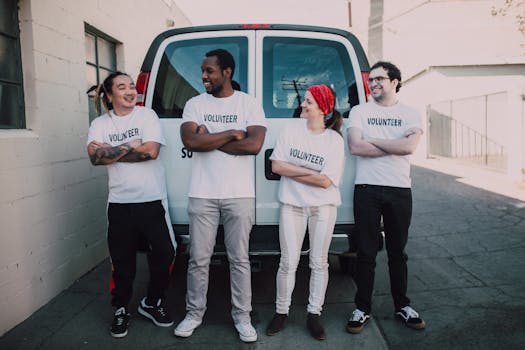
Four diverse volunteers in matching shirts smiling and standing by a van during a community service event. Photo: RDNE Stock project / Pexels
For nonprofits, 1v1 video calls are more than just a convenience; they are often the backbone of critical operations, from donor cultivation and volunteer onboarding to beneficiary support and remote counseling. Unlike corporate environments, where the primary goal might be sales or internal team collaboration, nonprofits frequently engage in sensitive, confidential, and deeply personal conversations. This unique context elevates specific platform features to non-negotiable requirements. For instance, robust data encryption and compliance with privacy regulations like HIPAA (if dealing with health data) or GDPR (if engaging with individuals outside the US) are paramount. A data breach or privacy lapse can severely damage a nonprofit's reputation and trust, which are often their most valuable assets. Beyond security, affordability is a significant factor. Nonprofits operate on tight budgets, and every dollar spent on technology is a dollar not directly supporting their mission. Therefore, platforms offering dedicated nonprofit discounts, free tiers with substantial features, or scalable pricing models are highly attractive. Ease of use is another critical consideration, not just for staff, but also for diverse beneficiaries and volunteers who may have varying levels of technical proficiency. A platform that requires extensive setup or troubleshooting can create barriers to engagement, hindering the very outreach a nonprofit aims to achieve. Consider, for example, a senior citizen trying to connect with a social worker; a complex interface could prevent them from accessing vital support. Accessibility features, such as closed captions, screen reader compatibility, and adjustable text sizes, are also essential to ensure inclusivity for all stakeholders. Moreover, integration capabilities with existing CRM systems, calendaring tools, and donation platforms can streamline workflows, reducing administrative overhead and freeing up valuable time for mission-driven work. Imagine a donor management system automatically logging a video call interaction, or a volunteer scheduling tool seamlessly integrating with your chosen video platform. Such efficiencies are invaluable. Finally, the reliability and stability of the platform are crucial. Dropped calls or poor audio/video quality can undermine the professionalism of your organization and frustrate participants, potentially impacting donor relations or the effectiveness of support services. When selecting technology for your nonprofit, these specific needs must guide your decision-making process, ensuring the chosen solution truly empowers your mission rather than becoming a technological burden.

Top Contenders for Secure 1v1 Video Calls

When evaluating the best 1v1 video call platforms for nonprofits, several options consistently rise to the top due to their blend of security, features, and nonprofit-friendly offerings. Each platform has its strengths and caters to slightly different organizational priorities. **Zoom Meetings:** Arguably the most ubiquitous video conferencing tool, Zoom offers robust 1v1 capabilities. Its widespread familiarity reduces the learning curve for many users, which is a significant advantage when engaging diverse audiences like donors, volunteers, and beneficiaries. For nonprofits, Zoom provides a generous discount program through TechSoup, often offering significant savings on its paid plans, or even free access for qualifying organizations. Key features include high-quality video and audio, screen sharing, virtual backgrounds, and meeting recordings. Security features have been significantly enhanced over time, with end-to-end encryption (E2EE) available for 1v1 calls (though with some feature limitations) and standard AES 256-bit encryption for all meetings. Its waiting room and password protection features are excellent for controlling access to sensitive conversations. However, the free tier, while functional, has a 40-minute limit on group meetings, though 1v1 calls can be unlimited. For nonprofits needing more advanced features like larger participant counts, cloud recording, or dedicated support, a paid plan is usually necessary. **Google Meet (Google Workspace for Nonprofits):** For organizations already using Google Workspace (formerly G Suite), Google Meet is a natural and highly integrated choice. Google offers its Workspace for Nonprofits program, providing many premium features, including Google Meet, either free or at a heavily discounted rate. This integration means seamless scheduling via Google Calendar, easy document sharing from Google Drive, and a unified user experience. Google Meet boasts strong security measures, including encryption in transit and at rest, and robust anti-abuse protections. Its interface is generally intuitive, making it accessible for users of varying tech savviness. While it may not have as many niche features as some dedicated video conferencing tools, its reliability and deep integration within the Google ecosystem make it a powerful contender. The ability to record meetings directly to Google Drive is a huge plus for compliance and record-keeping. Its main drawback might be that organizations not already invested in the Google ecosystem might find the full suite a larger commitment than just a video platform. **Microsoft Teams (Microsoft 365 for Nonprofits):** Similar to Google Meet, Microsoft Teams shines for nonprofits already operating within the Microsoft 365 environment. Microsoft offers substantial donations and discounts for eligible nonprofits, providing access to Microsoft Teams along with other productivity tools like Word, Excel, and SharePoint. Teams offers excellent 1v1 video calling capabilities, integrated chat, file sharing, and collaboration tools. Security is a cornerstone of Microsoft's offerings, with enterprise-grade encryption, compliance certifications, and granular administrative controls. The platform's strength lies in its comprehensive collaboration suite, making it ideal for organizations looking for an all-in-one solution for communication and productivity. However, for organizations seeking *only* a video calling solution without the broader Microsoft ecosystem, it might feel more complex than necessary. The learning curve can also be slightly steeper for new users compared to more streamlined video-only platforms.

Our partners at monkey-app.net offer related services.

Specialized Platforms and Key Considerations

Beyond the major players, several specialized platforms and crucial considerations warrant attention for nonprofits seeking the ideal 1v1 video call solution. These options often cater to specific needs or offer unique advantages that might align perfectly with an organization's distinct operational model or mission. **Doxy.me (for Telehealth/Counseling):** For nonprofits involved in mental health services, counseling, or any form of telehealth, Doxy.me is a standout. It's specifically designed for healthcare providers, making it HIPAA-compliant by default. This is a critical distinction, as general-purpose platforms, even with strong security, may not meet all the stringent requirements for Protected Health Information (PHI). Doxy.me offers a free tier that is remarkably robust for 1v1 calls, including a virtual waiting room, screen sharing, and secure chat, all within a browser-based interface that requires no downloads for the client. Paid tiers unlock features like group calling, file transfer, and custom branding. Its simplicity and focus on patient privacy make it an excellent choice for organizations providing sensitive, one-on-one support. The user experience is designed to be as straightforward as possible for both provider and client, minimizing technical barriers to accessing care. This specialized focus on compliance and ease of use for medical-adjacent interactions makes it invaluable for many health-focused nonprofits. **Jitsi Meet (Open Source & Privacy-Focused):** For nonprofits with strong privacy mandates or those looking for a highly customizable, open-source solution, Jitsi Meet is an compelling option. It's free, open-source, and can be used directly from a web browser without any account creation or software installation for participants. Organizations can even host their own Jitsi server for maximum control over data and security, an attractive feature for those with technical expertise and specific privacy concerns. Jitsi offers basic 1v1 video calls, screen sharing, and chat. While it lacks some of the advanced features and integrations of commercial platforms, its commitment to privacy and its zero-cost model make it highly appealing. The trade-off is often in user support and a potentially less polished interface compared to commercial offerings. However, for organizations prioritizing autonomy and data control above all else, Jitsi presents a powerful alternative. **Considerations for Integration and Scalability:** No matter the platform, consider its ability to integrate with your existing CRM (e.g., Salesforce for Nonprofits), donor management system, or volunteer management software. Seamless integration reduces manual data entry, minimizes errors, and creates a more cohesive operational environment. Furthermore, think about scalability. As your nonprofit grows, will the chosen platform be able to accommodate increased usage, more users, or new feature requirements without significant disruption or prohibitive cost increases? A platform that offers tiered pricing plans or easy upgrades is often more future-proof. Finally, always prioritize a platform that offers excellent customer support, especially for nonprofits where IT resources might be limited. Quick and effective support can be the difference between a minor technical glitch and a significant disruption to your critical services.

Tips for Optimal 1v1 Video Call Engagement & Avoiding Pitfalls

Maximizing the effectiveness of your 1v1 video calls involves more than just selecting the right platform; it requires thoughtful preparation and awareness of common challenges. Nonprofits can significantly enhance their virtual interactions by adopting best practices and proactively addressing potential pitfalls. **Best Practices for Engaging 1v1 Calls:** * **Clear Agendas and Objectives:** For every call, establish a clear purpose. Share a brief agenda beforehand so both parties know what to expect and can prepare. This respects everyone's time and keeps the conversation focused, whether it's a donor meeting or a beneficiary check-in. * **Test Technology Proactively:** Before a crucial call, especially with external stakeholders, perform a quick sound and video check. Ensure your internet connection is stable and that any necessary software updates have been completed. This prevents awkward delays and technical frustrations. * **Optimize Your Environment:** Choose a quiet, well-lit space with a clean, professional background. Minimize distractions (e.g., turn off notifications, inform household members). This conveys professionalism and helps the other person focus on your message. * **Active Listening and Engagement:** Maintain eye contact with your camera, not just the screen. Use non-verbal cues like nodding and appropriate facial expressions. Repeat key points to confirm understanding, especially in sensitive conversations. * **Follow-Up Promptly:** After the call, send a brief email summarizing key discussion points, action items, and next steps. This reinforces commitment and provides a clear record. **Common Pitfalls to Avoid:** * **Ignoring Privacy and Confidentiality:** Never assume a platform is fully secure without verifying its privacy policies and encryption standards. For sensitive discussions, always use platforms with verified end-to-end encryption or HIPAA compliance. Avoid discussing confidential information in public or unsecured locations. * **Overlooking Accessibility Needs:** Don't forget participants with disabilities. Ensure your chosen platform offers features like closed captioning, screen reader compatibility, or the ability to adjust text size. Provide clear instructions for accessing these features. * **Poor Lighting and Audio:** Bad lighting (e.g., backlight) and poor audio quality (e.g., echoing, background noise) are major deterrents. Invest in a decent external microphone if built-in options are insufficient, and ensure your lighting is front-facing. * **Information Overload:** While screen sharing is useful, avoid overwhelming participants with too much text or too many open tabs. Keep shared visuals clear, concise, and relevant to the immediate discussion. * **Lack of Training and Support:** Don't just deploy a new platform without providing adequate training for your staff and volunteers. Offer quick guides and a point of contact for technical support to ensure smooth adoption and reduce frustration.

Comparison

FeatureZoom MeetingsGoogle Meet (Workspace)Microsoft Teams (M365)Doxy.me (Telehealth)
Nonprofit Discount/Free Tier✓ (via TechSoup)✓ (Google for NPOs)✓ (Microsoft 365 NPO)✓ (Free Basic)
End-to-End Encryption (E2EE)Optional for 1v1No (encryption in transit)No (encryption in transit)No (encryption in transit)
HIPAA ComplianceBAA availableBAA availableBAA available✓ (built-in)
Ease of Use (Client Side)HighHighModerateVery High (browser)
Integration with EcosystemBroad via APIsDeep with Google WorkspaceDeep with Microsoft 365Limited
Browser-Based Access (no download)Yes (limited features)YesYesYes
Virtual Waiting Room
Recording CapabilitiesPaid Tier

What Readers Say

"Using Zoom's nonprofit discount for our donor outreach has been a game-changer. The quality is reliable, and most of our donors are already familiar with the interface, making connections effortless."

Sarah Chen · Austin, TX

"Google Meet, especially with our Google Workspace for Nonprofits, is perfect for our volunteer interviews. The integration with Calendar and Drive streamlines scheduling and document sharing, saving us so much time."

Mark Johnson · Chicago, IL

"Doxy.me has been indispensable for our mental health counseling services. Its HIPAA compliance and simple client-side access mean our beneficiaries get the support they need without privacy concerns or technical hurdles. We've seen a 30% increase in virtual session attendance."

Maria Rodriguez · Miami, FL

"Microsoft Teams offers fantastic integration with our other Microsoft tools, which is great for internal 1v1s. While it's a bit more feature-rich than we sometimes need for simple calls, the overall value for nonprofits is undeniable."

David Lee · Seattle, WA

"We switched to Jitsi Meet for some of our public advocacy calls because of its open-source nature and strong privacy. It's been excellent for quick, secure, browser-based 1v1s where we prioritize participant ease and data autonomy."

Emily White · Denver, CO

Frequently Asked Questions

What is the most secure 1v1 video call platform for nonprofits?

For general security, Zoom, Google Meet, and Microsoft Teams offer robust encryption and privacy features, with options for HIPAA-compliant agreements. For highly sensitive health-related discussions, Doxy.me is specifically designed for HIPAA compliance and is often the most secure choice due to its specialized focus.

Are these platforms truly free or discounted for nonprofits?

Many leading platforms, including Zoom, Google Meet, and Microsoft Teams, offer significant discounts or even free premium tiers for eligible 501(c)(3) nonprofits through programs like TechSoup or their own dedicated nonprofit initiatives. Doxy.me also has a robust free tier for individual users.

How do I ensure my beneficiaries can easily join a 1v1 video call?

Choose platforms that are browser-based (no download required) or widely familiar. Provide clear, step-by-step instructions in advance, including a direct link and any necessary passwords. Test the connection with them if possible before the actual call, and ensure accessibility features are enabled.

What's the cost difference between basic and premium 1v1 video call plans for nonprofits?

The cost can vary significantly. Basic free plans often have limitations like meeting duration or participant numbers, though 1v1 calls are frequently unlimited. Premium plans, often heavily discounted for nonprofits, unlock features like cloud recording, larger group calls, enhanced security, and dedicated support, typically ranging from $5 to $20 per user per month before nonprofit discounts.

How do these platforms compare to general consumer video chat apps like FaceTime or WhatsApp?

While consumer apps are convenient, dedicated platforms offer superior security, privacy controls, administrative features (like waiting rooms, recording), and integration capabilities crucial for professional nonprofit operations. They are designed for reliability and compliance, which consumer apps often lack.

Which platform is best for a small nonprofit with limited tech resources?

For small nonprofits with limited tech resources, Google Meet (via Google Workspace for Nonprofits) or the free tier of Doxy.me (for health services) are often excellent choices. They are generally intuitive, offer strong basic features, and integrate well with other free/discounted tools, minimizing the need for extensive IT support.

What are the privacy risks associated with using 1v1 video call platforms?

Privacy risks include data breaches, unauthorized access to calls, and misuse of personal information. Mitigate these by choosing platforms with strong encryption, reviewing their privacy policies, using passwords and waiting rooms, and avoiding sharing sensitive information on unsecured networks. Always use platforms with a Business Associate Agreement (BAA) if handling Protected Health Information (PHI).

What future trends should nonprofits consider for 1v1 video calls?

Future trends include enhanced AI features (transcription, sentiment analysis), deeper CRM integrations for personalized engagement, advanced virtual backgrounds for branding, and greater emphasis on accessibility and digital inclusion. Nonprofits should look for platforms that are continuously innovating in these areas.

Selecting the right 1v1 video call platform is a strategic decision for any nonprofit. By carefully comparing features, security, and nonprofit-specific offerings, you can empower your mission with seamless, secure, and effective virtual communication. Start your comparison today to find the perfect tool for your organization's unique needs.

Topics: 1v1 video call platformsnonprofit video conferencingsecure video calls for charitiesaffordable video communicationvirtual donor engagement
Leo List
Brampton weed
Adultwork